NACC Directory User Guides and Tutorials
Workflow 2 for ADRC and Non-ADRC members
1. Updating Your Member Profile
NACC sends out a Member Profile Survey twice a year (Spring and Fall) to ensure contact information is up to date. Updating your profile ensures you receive targeted communications and appropriate system permissions.
If you are new to an ADRC and have not yet received a survey link, you can request to be added to the NACC Directory by contacting your Center Administrator or study coordinator at any time.
Step-by-step guide:
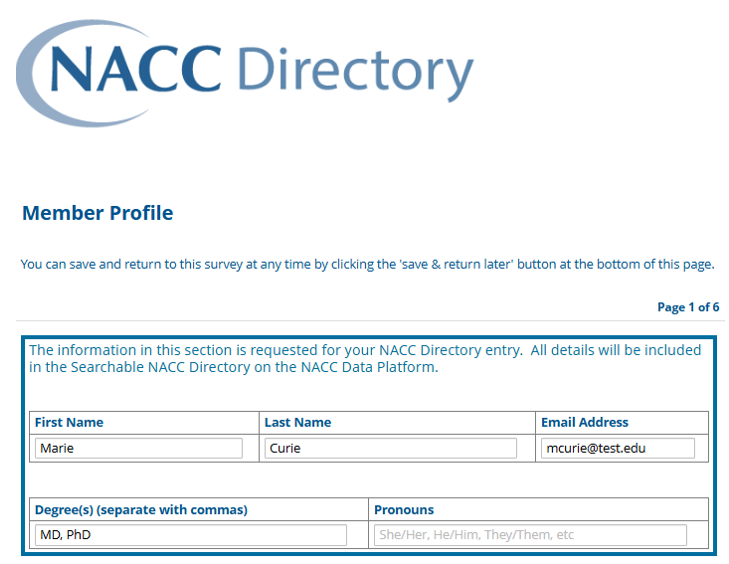
When you click your personalized Member Profile Survey link, you will notice that many of your basic fields are already pre-populated. Your task is to confirm your existing information is accurate and to edit or complete any missing fields.
1. Basic Contact Information
- Review your pre-populated basic contact information.
2. Next Steps
-
If you are an ADRC member: Proceed to Step 1.
-
If you are not an ADRC member: Proceed to Step 2.
Step 1. ADRC member
- If you are not participating in a NACC-supported research study, go to this Step.
- If you are participating in the CLARiTI study, go to this Step.
- Others proceed to this Step.
Step 2. Non-ADRC member
- If you are participating in a NACC-supported research study, go to this Step.
- If you are participating in the CLARiTI study, proceed to this Step.
- Others proceed to this Step.