Neuropathology Data Upload
Introduction
Alzheimer’s Disease Research Centers (ADRCs) can submit neuropathology (NP) data to NACC through the ADRC Portal. Neuropathology data are submitted using the same submission pathways and infrastructure as UDSv4 and related modules (e.g., LBD, FTLD) and are processed through the same QC pipelines, with NP going through neuropathology-specific validation steps.
This page describes how neuropathology data are submitted via the ADRC Portal, in the context of the broader EDC upload system:
- How NP data submission fits into the general UDSv4 form submission page
- Where NP data files are uploaded (batch file upload, REDCap, or API)
- How NP upload processing is handled
- Where to find more detailed documentation for the different submission methods
For detailed instructions on the submission methods described below, refer to:
Prerequisites
All participants (including affiliated study participants) are required to have a UDS visit (or MDS/BDS form) and a Milestones form completed to indicate that they have passed away and an autopsy was done before submitting the Neuropathology (NP) form.
- If the participant does not have a NACCID, submit an enrollment form to generate a NACCID.
- If the participant does not have any existing UDS visits (or MDS from) in the system, submit a BDS form for the participant.
- Submit a Milestones form to indicate that the participant has passed away and an autopsy was done.
Accessing the Portal and Submit Data Page
After logging in to the ADRC Portal, you will see the portal home page. From there, go to the Submit Data section.

On the Submit Data page, you will see an option for Neuropathology.
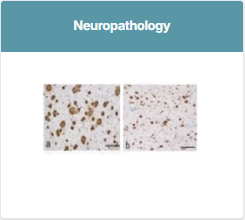
Clicking Neuropathology opens the UDSv4 Neuropathology Submission entry point. Note that Neuropathology uploads happen in the same place as other UDSv4 study data.
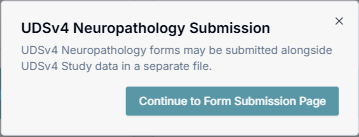
Click Continue to Form Submission Page to open the UDSv4 Data Submission page (the form submission page). See the Form Data Submission documentation.
Selecting the Study and Neuropathology Module
On the UDSv4 Data Submission (form submission) page:
-
Select your study.
Most centers will see a single study option, but some affiliated centers may see multiple studies listed.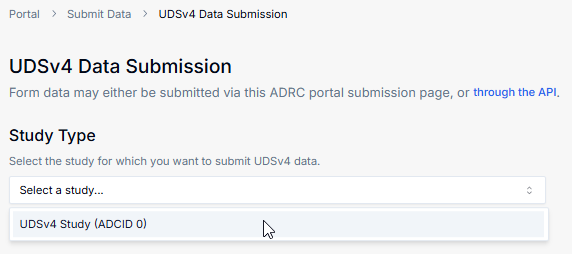
-
After you select the study, the page will show the modules and forms that can be submitted for that study. Neuropathology – NP appears as one of the available modules, alongside other modules such as LBD and FTLD.
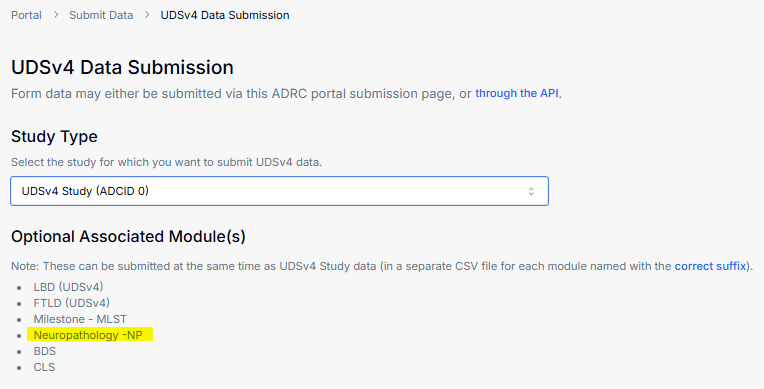
This page is sometimes referred to as the form submission page and is the same page used for submitting other UDSv4 data. See the Form Data Submission documentation.
Data Submission Options for Neuropathology
Neuropathology data can be submitted using the same three methods available for other UDSv4 data:
- Batch File Upload (CSV via Portal)
- Direct Data Entry into NACC REDCap (NACC-hosted REDCap Direct Entry)
- Upload data via API (Programmatic Uploads)
On the Data Submission Options section of the page, you will see these three options:
- Batch File Upload — Upload a
.csvfile with data for multiple participants. - Direct Data Entry into NACC REDCap — Enter data directly into the ANCC REDCap system.
- Upload data via API — Use the NACC API to upload data for one or more participants.
Neuropathology submissions follow the same patterns described in the EDC documentation, with NP-specific file naming and QC behavior:
Batch File Upload for Neuropathology (CSV via Portal)
For most centers, neuropathology data are submitted as batch CSV files using the Batch File Upload option.
- On the UDSv4 form submission page, ensure the desired study is selected and that Neuropathology – NP appears in the list of available modules.
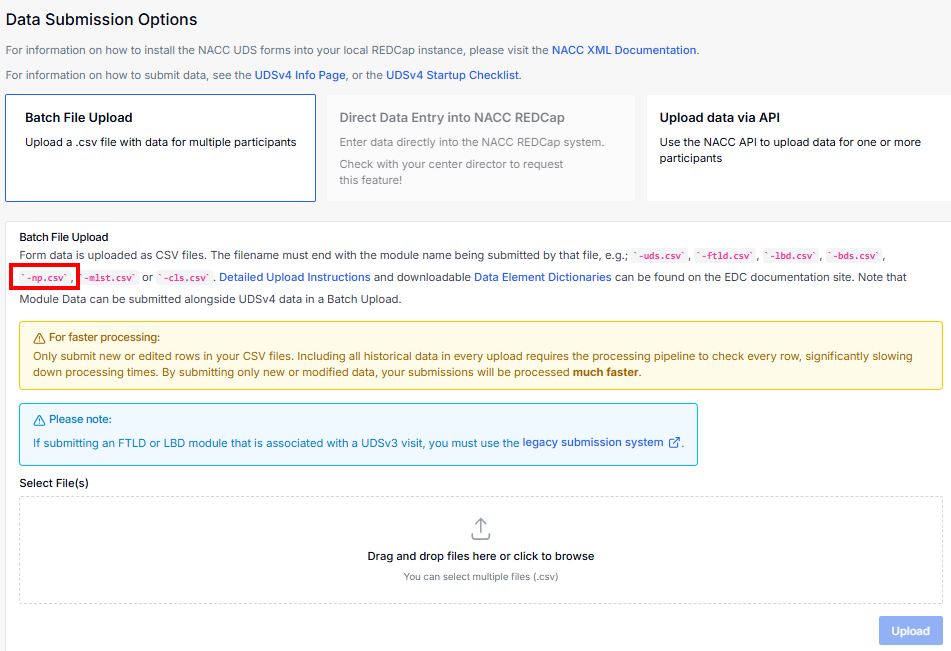
- In the Batch File Upload section, drag and drop your CSV file into the upload area, or click Select File(s) to choose your file.
Neuropathology CSV files must use the appropriate NP suffix in the file name (for example, a filename ending with -np.csv), consistent with the file-submission conventions used for other modules.
-
The portal performs preliminary checks before accepting the file:
- Confirms the file suffix matches one of the allowed module suffixes (including NP).
- Runs initial validation on the CSV structure (e.g., that it is a CSV file and that the filename matches the expected pattern). If a file is not named with an allowed suffix (for example, an incorrect or missing -np suffix), it will be rejected before entering the QC pipeline.
-
Once the file passes these initial checks, submit the upload. The file is then sent into the NACC QC system, where NP-specific QC steps are applied.
For additional detail on naming conventions, expected suffixes, and file-level validation, see the Batch File Upload documentation.
Direct Data Entry for Neuropathology (NACC-hosted REDCap Direct Entry)
Neuropathology data can also be submitted through Direct Data Entry into NACC REDCap. Centers enter NP data directly into linked REDCap forms, which then flow through the same QC and ingestion pipelines.
From the UDSv4 Data Submission page:
- Select Direct Data Entry into NACC REDCap.
- Select the desired study or module (for example, the Neuropathology module).
- Click Go to REDCap.
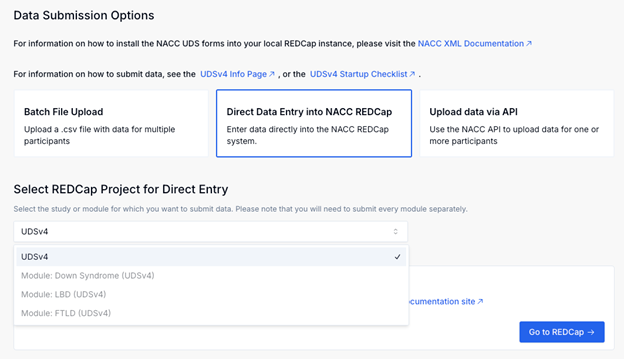
For details, see the NACC-hosted REDCap Direct Entry documentation.
Upload Data via API for Neuropathology (Programmatic Uploads)
Neuropathology data can also be submitted through Upload data via API. Centers submit NP data via the NACC API, using the same underlying infrastructure and QC rules as batch file uploads.
Clicking Upload data via API will show a button that takes you to the Programmatic Uploads documentation.
For details, see the Upload data programmatically documentation.