NCRAD Blood Biomarker Data
This document explains how Alzheimer’s Disease Research Centers (ADRCs) can download NCRAD Blood Biomarker Data from the ADRC Portal. It covers where to find NCRAD downloads in the portal and how to download the available files for your center.
Download NCRAD Blood Biomarker Data in the ADRC Portal
To access NCRAD Blood Biomarker data, navigate to the NCRAD dashboard.
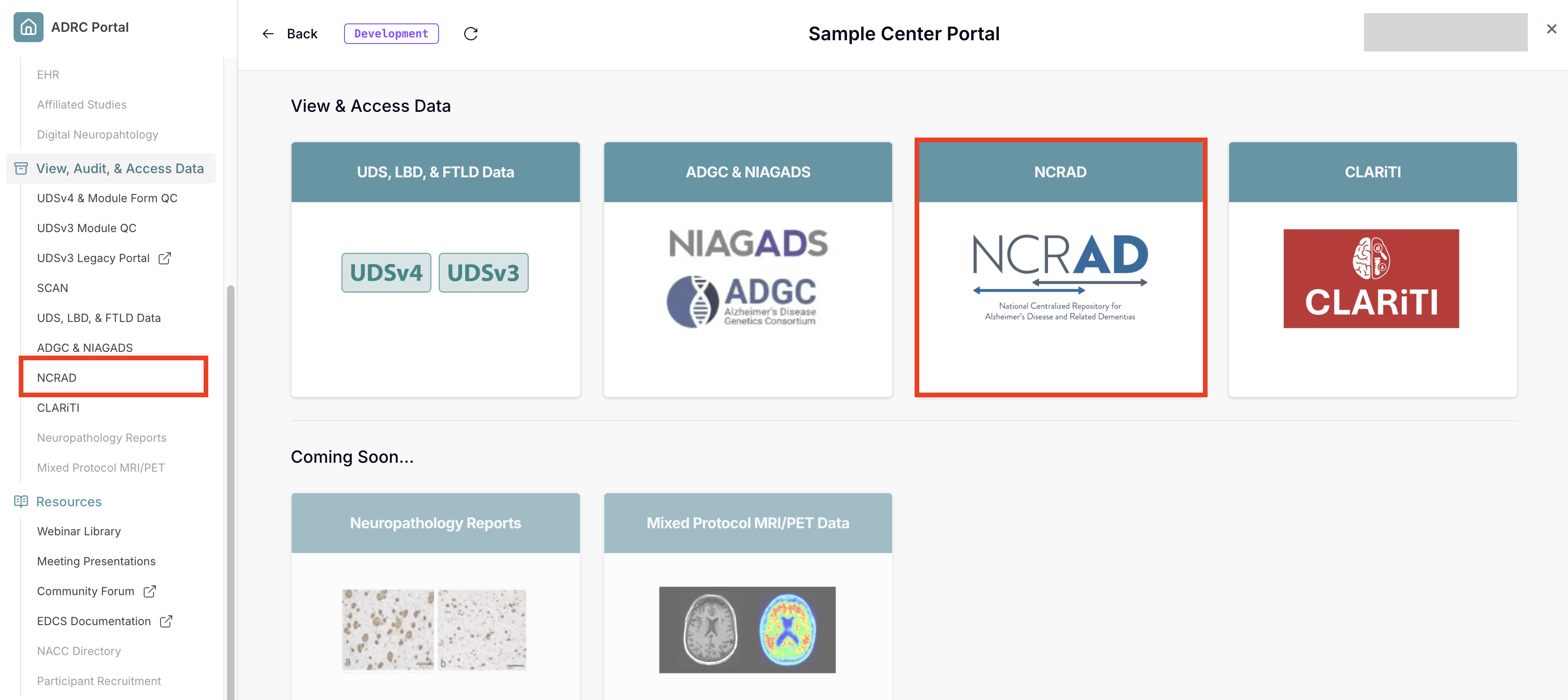
-
Select the data type you wish to access, in this case Blood Biomarker.
If the card is grayed out, that means you do not have access to the corresponding Flywheel project. Contact your center's administrator or director to request access.
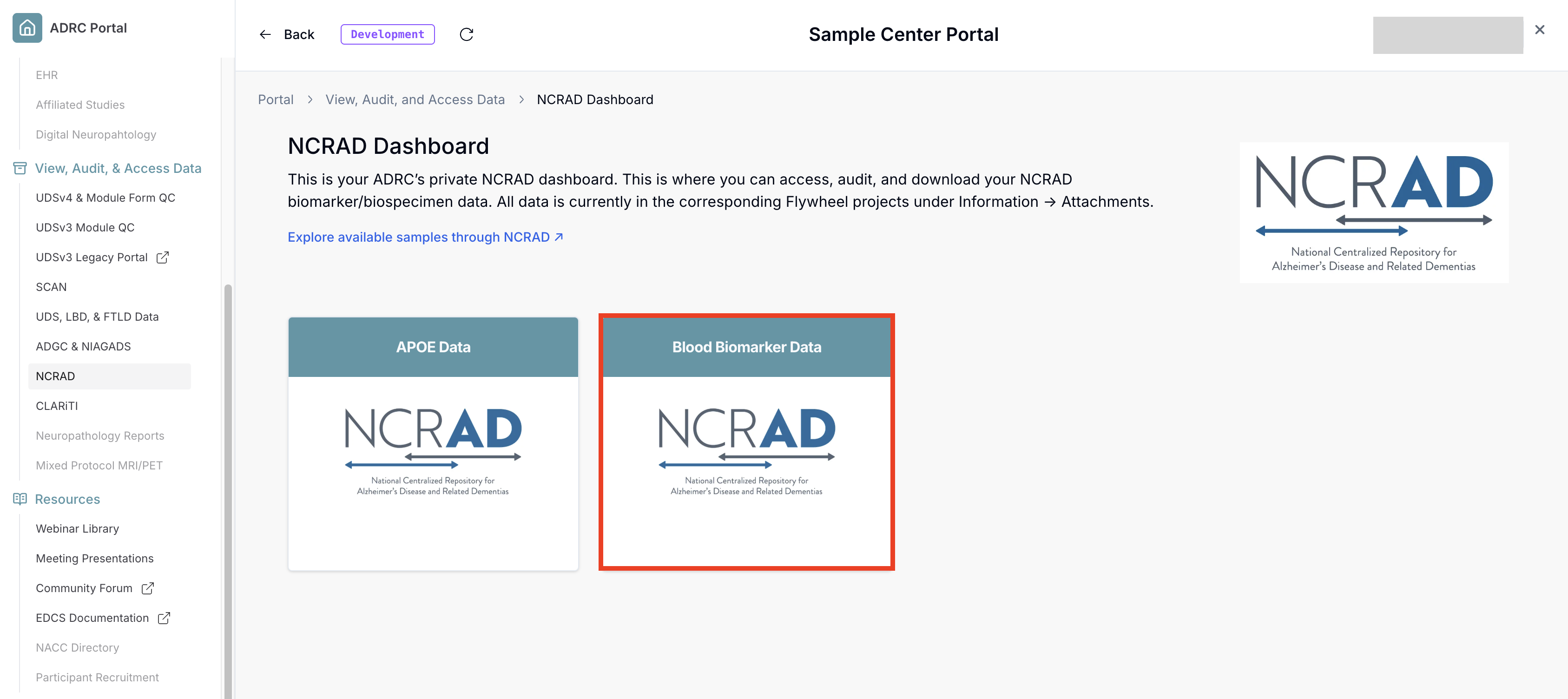
-
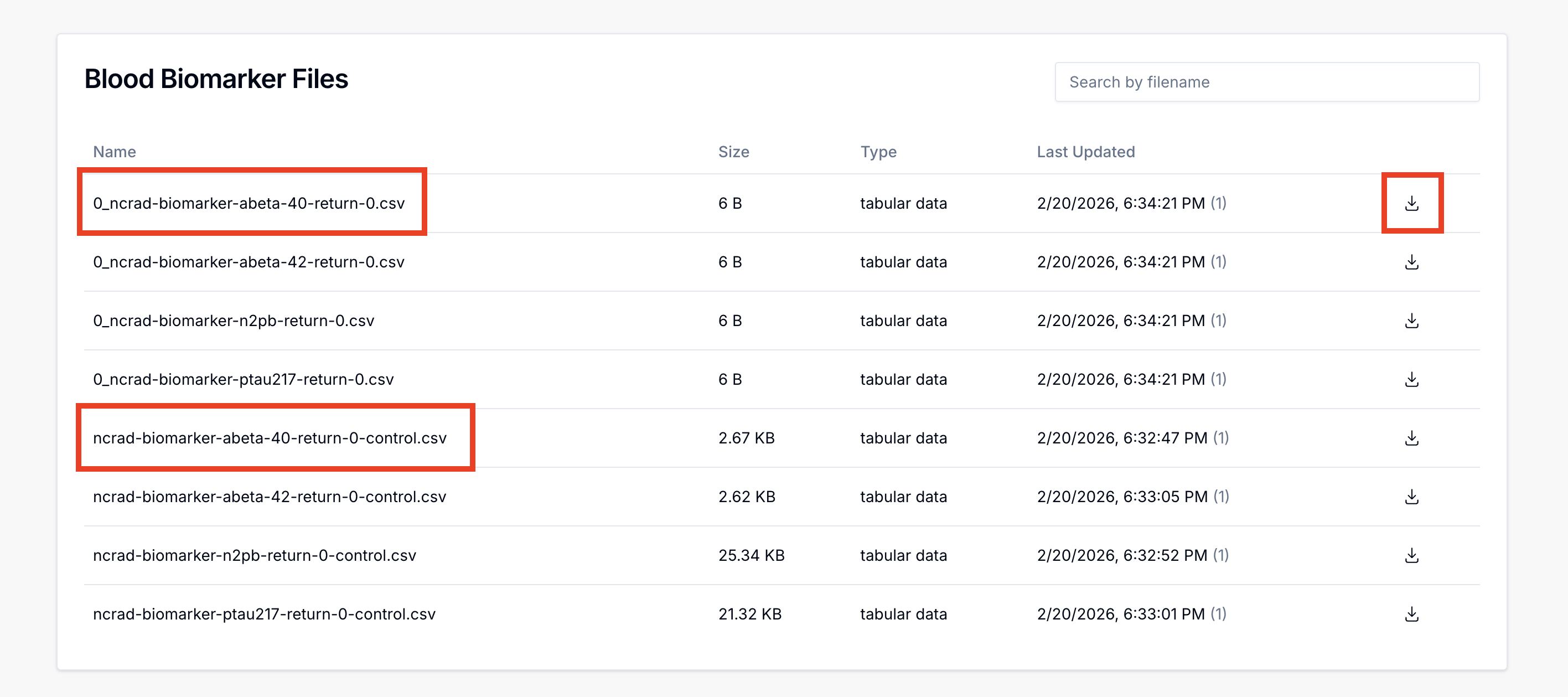
Each card will bring you to the corresponding data type's landing page. It provides a brief summary about the data and how it was generated along with your data files further down. To download the data, scroll down to view your files. Then, click on one of the download icons next to the data files, which will immediately download the file.
Note that for Blood Biomarker data, each analysis file comes with an associated control. Files with the
-control.csvsuffix are control files, and match the name its associated analysis file.
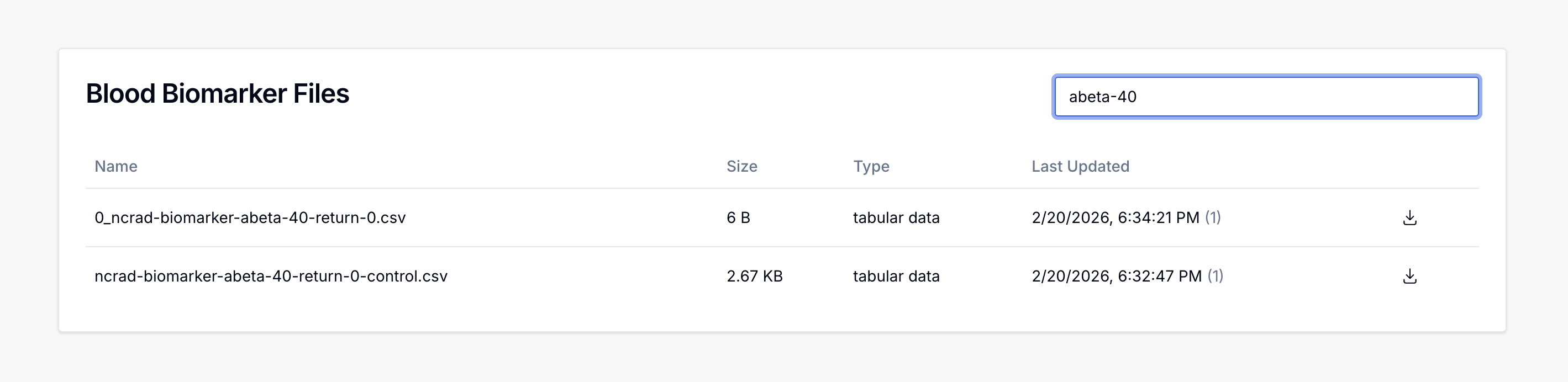
- You can also use the search bar to filter to a particular biomarker and/or return round.